Once everything is ready, you can start accessing assets.
Note: file management is only supported for SSH and RDP protocols.
SSH
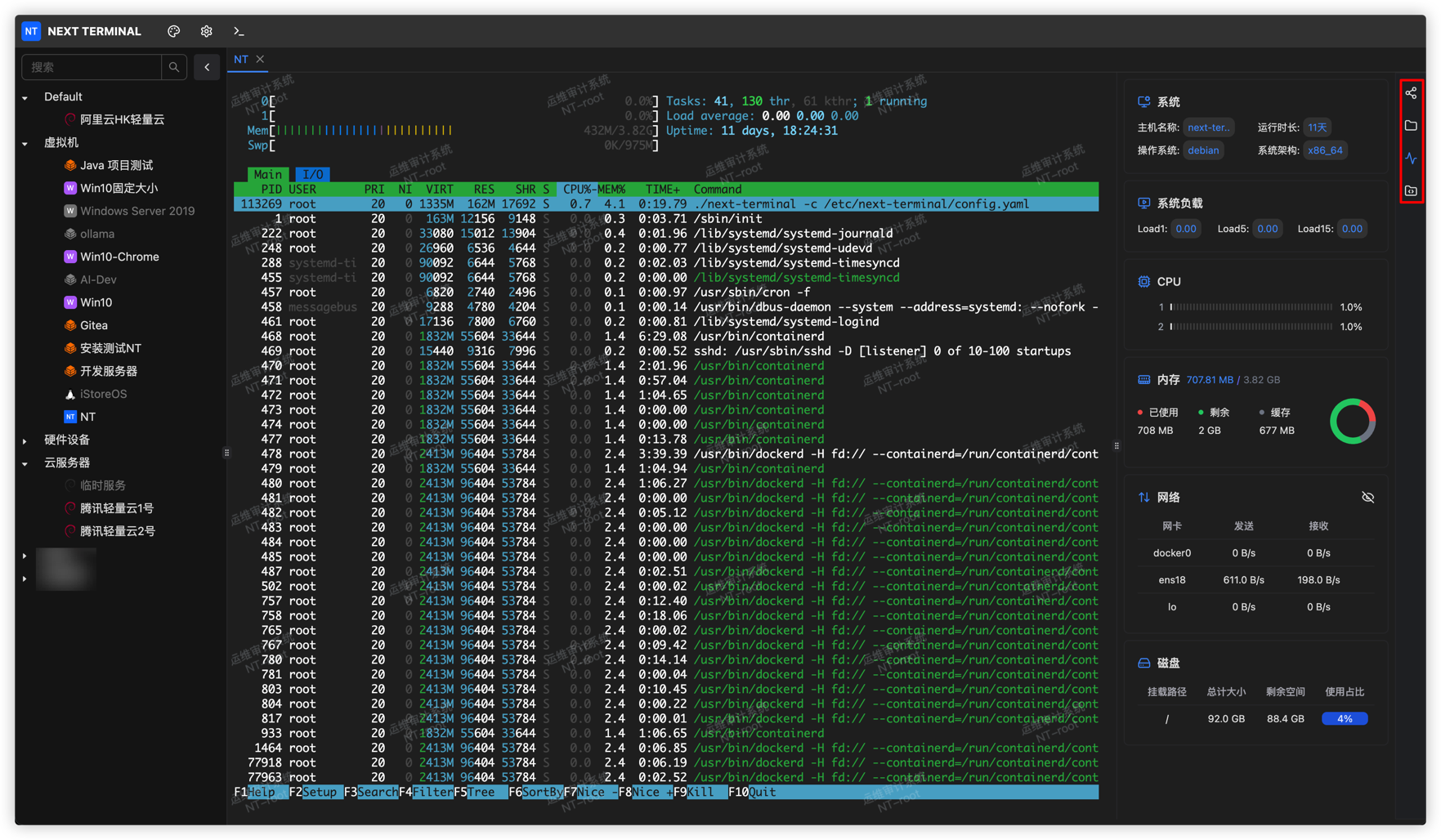
There are four buttons on the right side:
- Share Session: Share the current session with others. They can access it without logging in, and both sides can operate in the same session.
- File Manager: Upload, download, delete, create files, and more. This depends on the
sftpprotocol. - Status Monitoring: Requires your target host to support common commands such as
/bin/cat,/bin/df,/bin/ip, etc. - Command Snippets: Save frequently used command snippets for quick reuse.
RDP
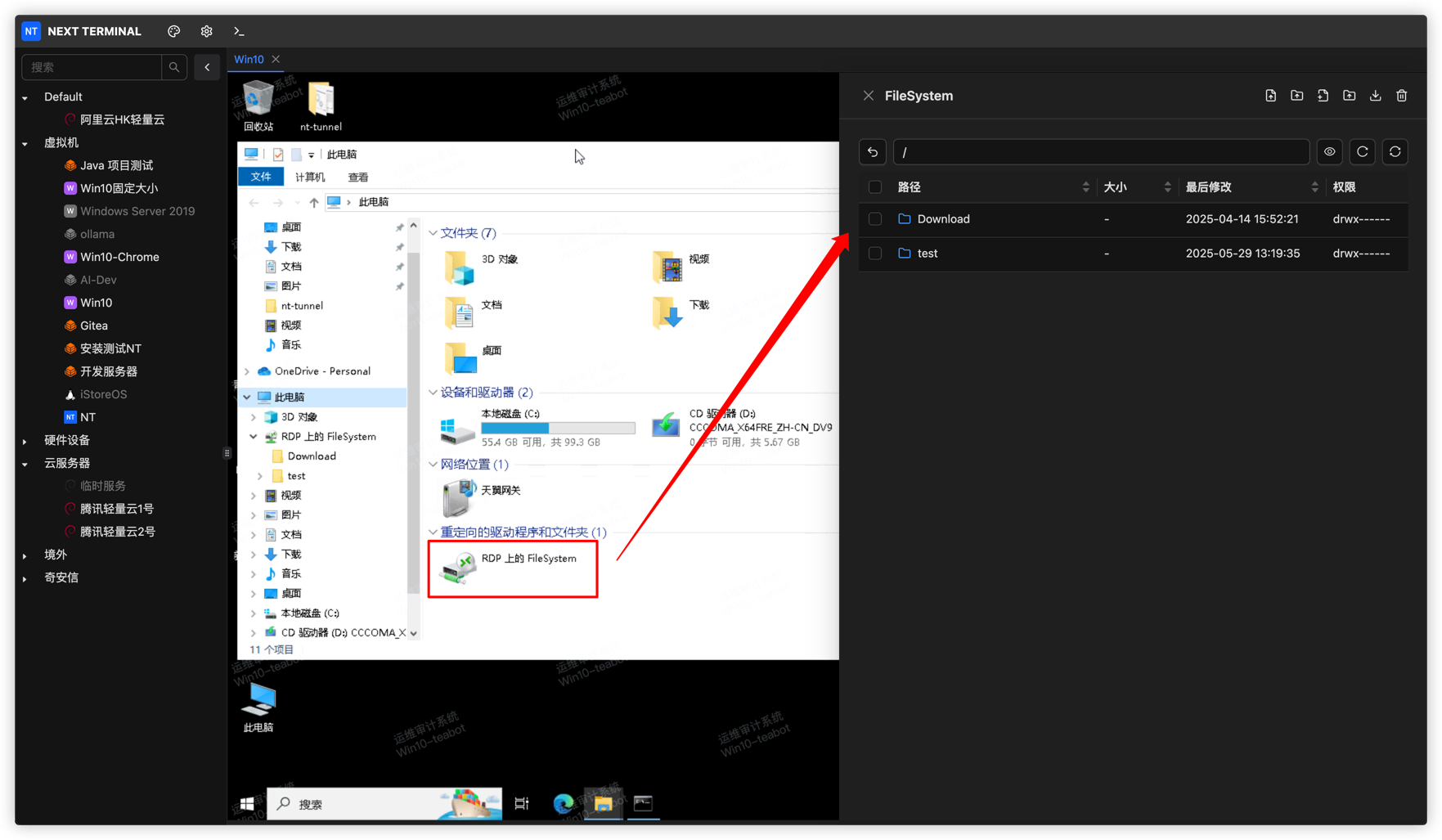
For the RDP protocol, file management is done through a network drive as shown below.
This means when downloading files, you first copy files from other disks to the network drive; when uploading files, upload to the network drive first, then copy them to the target disk.
Using this mechanism, you can keep a set of commonly used files in your own network drive and copy them directly when accessing RDP assets.